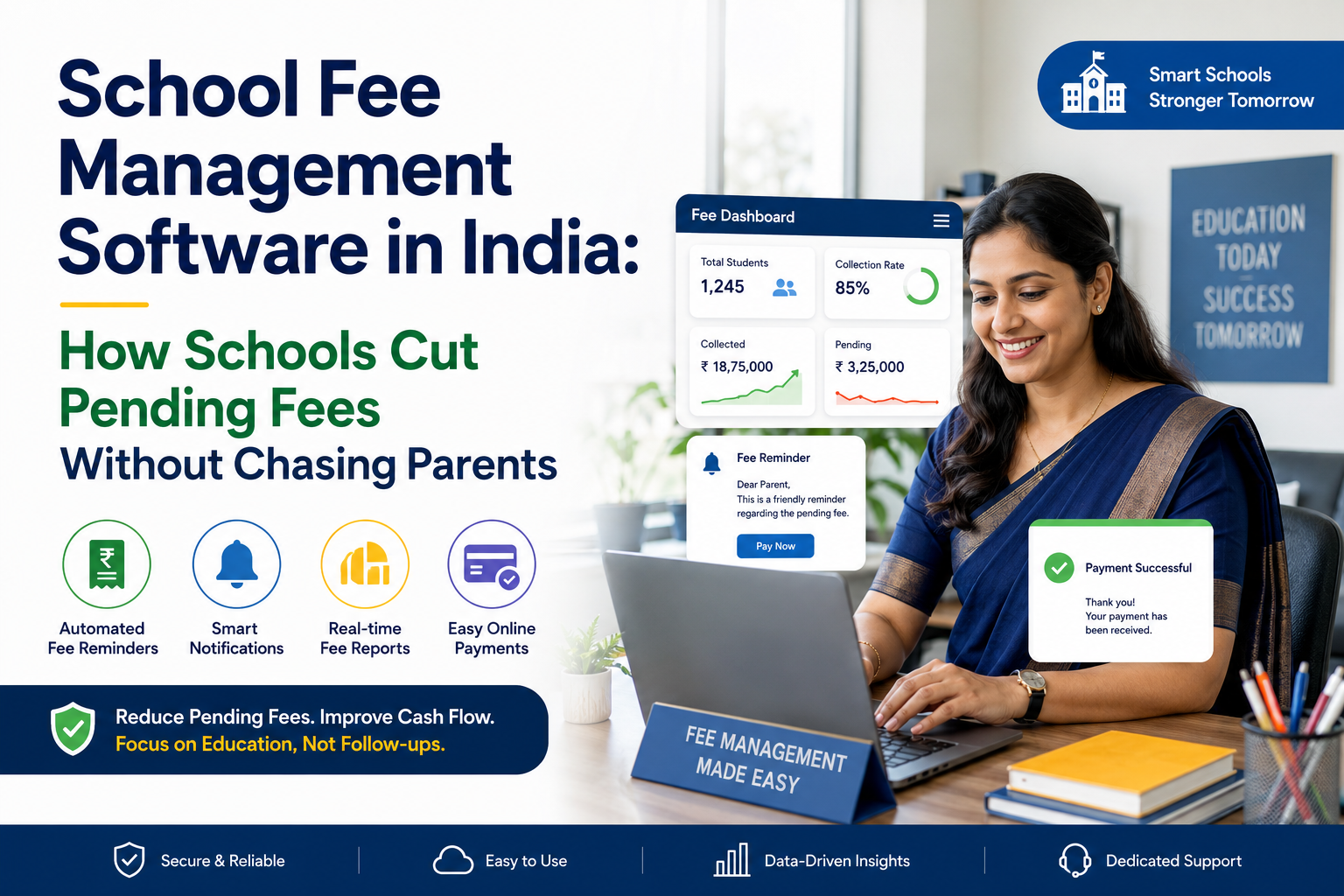
Quick answer: School fee management software automates the four things that cause pending fees in the first place: reminders that never get sent, receipts that get lost, payment methods that are inconvenient, and defaulter lists that live in one accountant's head. Indian schools that move from registers and spreadsheets to a fee module typically see faster collection in the first term, mostly because reminders go out automatically instead of depending on someone remembering. Fee management is included in the LMScloud Smart School and Complete Digital School plans, and most schools go live within 5 to 7 working days.
If your accountant spends the first ten days of every term making phone calls, this article is for you.
Why fee collection actually breaks down
Most principals assume pending fees are a parent affordability problem. In a lot of schools, a meaningful share of it is a process problem.
Here is what typically goes wrong.
Nobody sent a reminder. The due date passes. The accountant is busy with admissions or audit. By the time reminders go out, the parent has already spent that money elsewhere. A reminder sent on day 25 recovers far less than a reminder sent on day 3.
The parent lost the receipt. A paper receipt gets misplaced, then there is a dispute about whether the second term was paid. Now the accountant is going through a ledger from four months ago instead of collecting current fees.
Paying is inconvenient. If a parent has to visit the school office between 10 am and 1 pm on a working day to pay fees, some percentage of them simply will not do it that week. Or that month.
The defaulter list lives in one person's head. When the accountant is on leave, nobody knows who owes what. When the accountant leaves the job, that knowledge goes with them.
Concessions and adjustments are untracked. A staff child discount, a sibling concession, a one time waiver approved verbally by the principal. Six months later nobody can reconstruct why a student's balance is what it is.
None of these are about parents being unwilling to pay. They are about a system that makes paying harder than it needs to be, and makes following up dependent on human memory.
What school fee management software does
A fee module inside a school ERP handles the full cycle rather than just recording payments.
|
Function |
What it replaces |
Why it matters |
|
Fee structure setup |
Manually maintained class wise fee sheets |
Define once per class, applies to every student automatically |
|
Installment and due date scheduling |
A wall calendar and memory |
Due dates trigger reminders without anyone initiating them |
|
Automated reminders |
WhatsApp messages typed one by one |
Goes out on schedule, to every pending parent, every time |
|
Online payment collection |
Cash, cheque and office visits |
Parents pay from the app at 11 pm on a Sunday |
|
Digital receipt generation |
Paper receipt books |
Instant, permanent, retrievable by parent and school |
|
Concession and discount tracking |
Verbal approvals and margin notes |
Every adjustment has a record and a reason |
|
Defaulter reporting |
The accountant's notebook |
Any authorised person can pull a current list in seconds |
|
Collection dashboards |
End of term manual tallying |
Management sees collection status daily, not quarterly |
LMScloud covers this as part of a broader platform, so fee data sits alongside student management, attendance, exams and the parent app rather than in a separate accounting silo. That connection matters more than it sounds: a fee reminder that goes to the same app where the parent already checks attendance and homework gets read. A reminder sent from a standalone billing tool to an email address the parent gave you three years ago does not.
The reminder problem, and how automation fixes it
This is the single highest impact change most schools can make, and it is also the easiest.
Manual reminder reality: Someone has to decide to send reminders, pull the pending list, compose messages, and send them individually. It competes with every other urgent task. It happens late, or partially, or not at all in a busy month.
Automated reminder reality: The system knows who has an outstanding balance and what the due date was. Reminders fire on a schedule you set once.
A reminder schedule that works for most Indian schools:
|
Timing |
Message tone |
Channel |
|
7 days before due date |
Informational, here is what is due |
App notification |
|
On due date |
Neutral reminder with payment link |
App plus SMS |
|
Day 3 after due date |
Polite follow up |
App plus SMS |
|
Day 10 after due date |
Clear statement of pending amount |
App plus SMS |
|
Day 20 after due date |
Request to contact the office |
App plus direct call flag |
The important design point is that the first four steps require zero staff time. Your accountant only gets involved at step five, with a list that is already filtered down to the genuinely difficult cases. That is a fundamentally different job from calling two hundred parents.
Practical note on tone. Automated does not mean impersonal or aggressive. Schools that use blunt, threatening reminder language get complaints and damage relationships with families who are simply a week late. Keep the first three reminders neutral and informational. Escalate only after that, and escalate through a human conversation, not a harsher automated message.
Fee structures Indian schools actually use
Any software you evaluate must handle real Indian school fee complexity, not just a single annual amount. Check that it supports the following.
-
Class wise variation. Different fees for pre primary, primary, middle and secondary.
-
Component breakup. Tuition, admission, development, transport, examination, laboratory, library, activity, uniform and books as separate heads, because parents ask for the breakup and auditors require it.
-
Installments. Monthly, quarterly, term wise or annual, sometimes different for different components.
-
Optional components. Transport applies only to bus users, and the amount varies by route distance. Lab fees apply only to science stream students.
-
Concessions. Sibling discount, staff ward, merit scholarship, RTE category, one time principal approved waiver. Each needs to be a tracked category, not a manual reduction.
-
Late fees. Fixed or percentage based, with the ability to waive on a case basis.
-
Mid year admissions. A student joining in October should be billed proportionally, automatically.
-
Transport route linkage. If transport fees are charged, the fee module should read from the same route data your transportation module uses, not a separate list.
If a vendor demo only shows you a flat annual fee being marked paid, ask them to build your actual fee structure live in the demo. That single request separates real products from thin ones.
Defaulter tracking without the awkward phone calls
Defaulter management is where most schools feel the most discomfort, because the conversation is genuinely difficult. Software does not remove the difficulty, but it does two useful things.
It removes the ambiguity. When both the school and the parent can see the same record, showing the same paid and pending amounts with dated receipts, the conversation stops being about what is owed and becomes about when it can be paid. That is a far easier discussion.
It sorts the list. Not every pending payment is the same. A useful defaulter report separates them.
|
Category |
Typical cause |
Right response |
|
Overdue by 1 to 7 days |
Simple oversight |
Automated reminder, nothing more |
|
Overdue by 8 to 30 days |
Cash flow timing |
Automated reminder plus payment plan offer |
|
Overdue by 30 to 90 days |
Genuine difficulty or dispute |
Direct conversation with the office |
|
Overdue beyond 90 days |
Needs management decision |
Principal or trustee level review |
|
Repeat pattern across terms |
Structural affordability issue |
Fee concession or scholarship discussion |
Most schools that build this segmentation discover the majority of their pending amount sits in the first two rows, which automation handles on its own. The genuinely hard cases are a much smaller number than the raw pending figure suggests.
A caution on access. Fee data is sensitive. Not every staff member should see which families are behind on payments. Check that the software supports role based permissions so class teachers see attendance but not fee balances, and only authorised finance staff see the defaulter report. LMScloud handles this through role based staff management.
Online payments: what to check before you switch
Enabling online fee collection is usually the single biggest jump in collection speed, because it removes the office visit entirely. But there are real questions to ask.
-
Which payment methods are supported? UPI matters most in India. Card, net banking and wallets are secondary. If UPI is not smooth, adoption will be low.
-
Who bears the transaction charge? School or parent. Decide this before rollout, communicate it clearly, and make sure the software can display it correctly on the receipt.
-
How fast does settlement reach the school account? Standard settlement cycles vary. Know yours before you plan cash flow around it.
-
What happens on a failed transaction? The parent's money is debited but the payment fails. The system must handle this cleanly and the school must know the reconciliation process.
-
Does the receipt generate automatically on success? It should, instantly, to the parent's app.
-
Can partial payments be accepted? Many families pay in parts. If the system forces full payment, they will pay nothing online.
-
Is offline payment still recorded in the same place? Cash and cheque payments must enter the same ledger, or you end up with two systems and no single truth.
That last point is the one schools underestimate. A fee module is only useful if every payment, online or cash, lands in one record. Otherwise you have added a system rather than replaced one.
Receipts, audit trails and year end reporting
Digital receipts solve a quiet but persistent problem: disputes about past payments.
What good receipt handling looks like:
-
Generated instantly on payment, online or offline
-
Sequentially numbered and non editable after issue
-
Available permanently in the parent app, so the parent can retrieve it themselves without calling the office
-
Showing the component breakup, not just a total
-
Downloadable and printable when a parent needs a hard copy for reimbursement
For the school side, the audit trail matters just as much. Every entry should record who entered it and when, every concession should record who approved it, and every cancellation or correction should be logged rather than silently overwritten. When your auditor asks why a student's fee was reduced by ₹8,000 in November, the answer should be in the system, not in someone's memory.
Year end reporting should give you collection by class, by component, by month, and outstanding by category, without anyone building a spreadsheet.
What it costs in India
Fee management is almost never sold standalone in the Indian market. It comes as a module inside a school ERP, which means the relevant question is what the ERP costs.
Indicative market ranges for Indian school ERP with a fee module, based on student count:
|
School size |
Typical annual cost range |
What is usually included |
|
Under 200 students |
₹8,000 to ₹15,000 |
Core academics, attendance, basic fee tracking |
|
200 to 300 students |
₹15,000 to ₹25,000 |
Adds fee management, exams, staff and leave modules |
|
300 to 500 students |
₹25,000 to ₹40,000 |
Full module set including transport, website and ID cards |
|
500 plus students |
Custom |
Negotiated on student count and module requirement |
For reference, LMScloud's published plans are:
|
Plan |
Students |
Staff |
Annual price |
Fee management included |
|
Digital Starter |
200 |
10 |
₹10,000 |
No |
|
Smart School |
300 |
15 |
₹19,000 |
Yes |
|
Complete Digital School |
500 |
25 |
₹35,000 |
Yes |
|
Custom |
Above 500 |
Custom |
On request |
Yes |
The practical takeaway: if fee management is your reason for buying, the entry tier will not solve it. Start at the Smart School level. Full plan comparison is on the LMScloud pricing section, and there is a deeper cost breakdown in the guide on school ERP software cost in India in 2026.
Costs to ask about separately: payment gateway transaction charges, SMS credits if reminders go by SMS, data migration for opening balances, and any charge for additional users beyond the plan limit.
Spreadsheet vs fee module: an honest comparison
Spreadsheets are not always the wrong answer. Here is the real trade off.
|
Factor |
Spreadsheet |
Fee module in an ERP |
|
Cost |
Free |
₹19,000 plus per year |
|
Setup time |
Immediate |
5 to 7 working days |
|
Reminders |
Manual, depends on staff time |
Automatic, scheduled |
|
Parent visibility |
None, parent must ask |
Parent sees balance and receipts in the app |
|
Online payment |
Not possible |
Built in |
|
Receipt disputes |
Common |
Rare, both sides see the same record |
|
Staff dependency |
High, knowledge sits with one person |
Low, any authorised staff can operate |
|
Audit trail |
Weak, cells can be edited silently |
Logged and traceable |
|
Error risk |
Formula errors, version confusion |
Structural validation |
|
Works at 80 students |
Yes, adequately |
Overkill |
|
Works at 400 students |
Poorly |
Yes |
Where spreadsheets genuinely still work: a school under roughly 100 students with a single fee structure, one person handling all finance, and low pending fee levels. If that describes you, the honest advice is to wait. There is a fuller discussion in the piece on school ERP software for small schools in India.
Where they stop working: multiple fee components, multiple installment schedules, transport variation, concession categories, and more than one person touching the records. That combination breaks spreadsheets quietly, and you usually find out during an audit.
A 30 day rollout plan
Fee module rollouts fail for predictable reasons, mostly around timing and opening balances. This sequence avoids the common ones.
Week 1: Data preparation
-
Export your current student list with class and section
-
Document your complete fee structure, every component, every class, every installment date
-
List all active concessions with the student, the amount and the reason
-
Compile opening balances, meaning what each student owes as of the cutover date
That last item is the one that derails projects. Do it carefully. An incorrect opening balance means every subsequent figure for that student is wrong, and parents will notice immediately.
Week 2: Configuration and verification
-
Configure fee heads, classes, installment schedules and late fee rules
-
Load student data and opening balances
-
Configure reminder schedule and message templates
-
Set role based permissions for who can view and edit fee data
-
Verify against a sample of 20 students across different classes and concession types
Week 3: Internal testing and staff training
-
Train the accountant and office staff on entering offline payments and generating receipts
-
Test online payment end to end with a real small transaction
-
Test the failed payment path
-
Run a defaulter report and check it against your manual records
-
Fix discrepancies before any parent sees the system
Week 4: Parent rollout
-
Send a clear announcement explaining what is changing, how to pay, and who to contact for help
-
Roll out to one or two classes first, not the whole school
-
Keep the office counter open for cash payments during the transition
-
Collect feedback, fix friction, then extend to all classes
Timing note: roll out at the start of a term or fee cycle, never in the middle of one. Mid cycle cutovers double your reconciliation work.
Do not switch off the old system on day one. Run both for one full fee cycle. The overlap costs a little effort and saves a great deal of trouble.
Questions to ask any vendor in a demo
Take this list into the demo. Ask them to show, not describe.
-
Build our actual fee structure live, with all components and installments
-
Show a sibling concession and a staff ward concession applied to real students
-
Show what a parent sees in the app when a fee is pending
-
Show the reminder schedule configuration and an actual reminder message
-
Record a cash payment and generate the receipt
-
Process an online payment end to end
-
Show what happens when a payment fails
-
Generate a defaulter report filtered by overdue duration
-
Show the audit log for a concession that was approved and later changed
-
Show role based permissions preventing a class teacher from seeing fee balances
-
Explain how opening balances are migrated from our current records
-
Show the year end collection report
-
Confirm the total annual cost including transaction charges and SMS credits
-
Confirm setup timeline and what training is provided
-
Confirm what happens to our data if we cancel
You can walk through most of this yourself in the LMScloud demo school before you talk to anyone. Doing that first makes the actual demo call far more productive, because you arrive with specific questions instead of general ones.
There is also a useful companion piece on the five mistakes schools in India make when choosing ERP software, most of which apply directly to fee module selection.
Common mistakes with fee software
Migrating opening balances carelessly. Covered above, but worth repeating because it is the number one cause of failed rollouts.
Rolling out mid term. Reconciling a half completed fee cycle across two systems is avoidable pain.
Making reminders harsh from day one. You will damage relationships with families who are simply a few days late.
Giving every staff member fee visibility. It is sensitive information and it creates awkwardness in the staff room.
Not training the accountant properly. If the person entering payments is uncertain, they will keep a parallel register, and you will have two systems forever.
Choosing on price alone at the entry tier. If fee management is your core requirement and it is not in the plan you bought, you have not solved your problem.
Skipping the parent communication. Parents who receive an unexpected payment link from an unfamiliar system will call the office to check it is genuine. Announce the change first.
FAQs
What is school fee management software?
School fee management software is a module inside a school ERP that handles fee structure setup, installment scheduling, automated reminders, online and offline payment collection, digital receipt generation, concession tracking and defaulter reporting in one system.
How much does school fee management software cost in India?
It is usually bundled into school ERP pricing rather than sold separately. Expect roughly ₹15,000 to ₹40,000 per year for schools between 200 and 500 students. LMScloud includes fee management in the Smart School plan at ₹19,000 per year for up to 300 students and in the Complete Digital School plan at ₹35,000 for up to 500 students.
Can parents pay school fees online through the app?
Yes. Parents can view pending amounts, pay through the parent app and receive a digital receipt immediately. This removes the need to visit the school office during working hours, which is the main reason payments get delayed.
How does automated fee reminder software work?
You configure a reminder schedule once, for example 7 days before the due date, on the due date, and at days 3, 10 and 20 after. The system identifies students with outstanding balances and sends reminders automatically through the app and SMS, without staff having to initiate anything.
Can the software handle sibling discounts and staff concessions?
It should. Look for concession handling as a tracked category with an approval record, rather than a manual amount reduction. Every adjustment should show who approved it and why, which matters at audit time.
Will it work if some parents still pay by cash or cheque?
Yes, and it must. Offline payments should be recorded by office staff into the same ledger so there is one single record. If cash payments sit outside the system, you have added complexity rather than removing it.
How long does it take to set up fee management?
Configuration is typically 5 to 7 working days once your data is ready. The longer part is on your side: documenting the fee structure, listing concessions and compiling accurate opening balances. Budget two to four weeks end to end for a careful rollout.
Is student and payment data secure?
LMScloud uses secure cloud infrastructure with encrypted connections, and does not sell or share data for advertising. Also check that the platform supports role based access so fee information is visible only to authorised finance staff.
Can we generate fee receipts and reports for audit?
Yes. Look for sequentially numbered non editable receipts with component breakup, plus collection reports by class, component and month, and outstanding reports by overdue duration.
What if we already use a different ERP and want to switch?
Switching is feasible but should be planned around a fee cycle boundary, not mid term. The critical step is accurate opening balance migration. Run both systems in parallel for one full cycle before decommissioning the old one.
Does LMScloud offer a trial before we commit?
Yes. You can explore the demo school directly, and schools can request trial access and a walkthrough before purchasing. Refunds are available within 30 days of purchase as per the refund policy.
Where to go next
If pending fees are costing you staff time every term, the fastest way to judge whether software helps is to see it handling your actual fee structure.
-
Explore first: open the LMScloud demo school and click through the fee module yourself
-
Compare plans: check which tier includes fee management on the pricing section
-
Ask questions: the FAQ section covers setup, training, security and cancellation
-
Talk to us: get in touch with your student count and fee structure, and we will show you the exact configuration for your school
Call 8602956451 or email info@lmscloud.in if you would rather have a direct conversation.